
Binary to Hexadecimal Conversion Explained
Learn how to convert binary to hexadecimal with clear steps and tips 🧑💻. Explore practical uses in computing and electronics for programmers and IT pros.
Edited By
Liam Prescott
Hexadecimal and binary numbers are fundamental in computing and digital electronics, especially when working with programming, networking, or data analysis. Understanding how to convert from hexadecimal (base 16) to binary (base 2) can save you time and reduce errors in fields like IT, finance, and software development.
Hexadecimal is a compact way to represent binary data. Instead of writing long strings of ones and zeros, hex condenses binary into fewer digits by using sixteen symbols: 0-9 and A-F. Each hex digit equals exactly four binary digits (bits). For instance, the hex digit A corresponds to the binary 1010.
The reason this conversion is handy is that computers operate natively in binary, but humans find reading long binary strings tiring and error-prone. By converting hex to binary, one can translate human-friendly codes into machine-readable formats accurately.
Here's a simple way to convert hex to binary:
Take each hex digit separately.
Replace it with its 4-bit binary equivalent.
Combine all binary groups to get the full binary number.
For example, convert the hexadecimal number 2F3 to binary:
2 = 0010
F = 1111
3 = 0011
Put together, the binary form is 001011110011.
Remember, every hex digit maps into 4 binary bits exactly, so the conversion is straightforward and error-free once you memorise the hex-to-binary table.
In practical terms, such conversions are useful in several areas:
Networking: IP addresses and MAC addresses often use hexadecimal notation but need binary for subnet calculations.
Programming: Low-level programming, debugging, and memory addressing rely on interpreting hex and binary.
Cryptography: Encryption keys appear in hex but must be processed in binary.
Avoiding common errors like skipping leading zeros in binary groups can prevent confusion. For example, the hex digit 1 equals 0001, not just 1.
Overall, mastering this process helps professionals and students alike handle technical tasks more efficiently and with confidence.
Understanding number systems is fundamental for anyone working with computers or digital electronics in Pakistan. Hexadecimal and binary systems serve as the backbone of modern computing, enabling efficient data representation and processing. For traders, investors, freelancers, and students alike, grasping these basics helps in tasks ranging from coding to interpreting network data.
At the heart of number systems lies positional numbering, where the position of a digit determines its value. For example, in the decimal system (base-10), the digit 3 in 340 represents 3×100, whereas in 43, it means 3×1. This principle applies to all base systems, making it easier to convert and calculate numbers systematically.
The main difference between base-10, base-2 (binary), and base-16 (hexadecimal) lies in their digit sets and counting methods. Base-10 uses digits from 0 to 9 and is the system we use for daily counting. Binary uses only two digits, 0 and 1, reflecting the on/off states in electronics. Hexadecimal encompasses sixteen digits, 0-9 and letters A-F, simplifying the representation of large binary numbers in a compact form.
Hexadecimal combines digits and letters—0 to 9 cover values zero to nine, and A to F represent values ten to fifteen. This system offers a neat shorthand for binary sequences; every hex digit corresponds to exactly four binary bits. For instance, hex digit 'B' equals binary '1011'.
Computing prefers hex mainly because it reduces the length of binary strings, making them easier to read and write. For example, a 32-bit binary address like 11010010101101001010110101010101 can be compactly shown as D52B56A5 in hex. This conversion significantly lessens errors, speeding up programming and debugging tasks in Pakistan's growing IT sector.
Binary numbering uses only two digits: 0 and 1. These two represent the simplest digital states—off (0) or on (1). Because of this simplicity, all computer operations boil down to combinations of these bits.
In digital electronics, every piece of hardware—from processors to memory chips—relies on binary logic. For example, a light bulb in a smart home system might be represented by 1 for ON and 0 for OFF internally. Understanding binary helps professionals troubleshoot devices, write efficient software, or even design circuits that Pakistani tech hubs depend on.
Mastering hexadecimal and binary is not just for engineers; it aids any tech-savvy individual in Pakistan to understand how devices store and process information efficiently.
By knowing these fundamentals, you can transition smoothly into more advanced topics like conversions and practical uses in computing and networking.
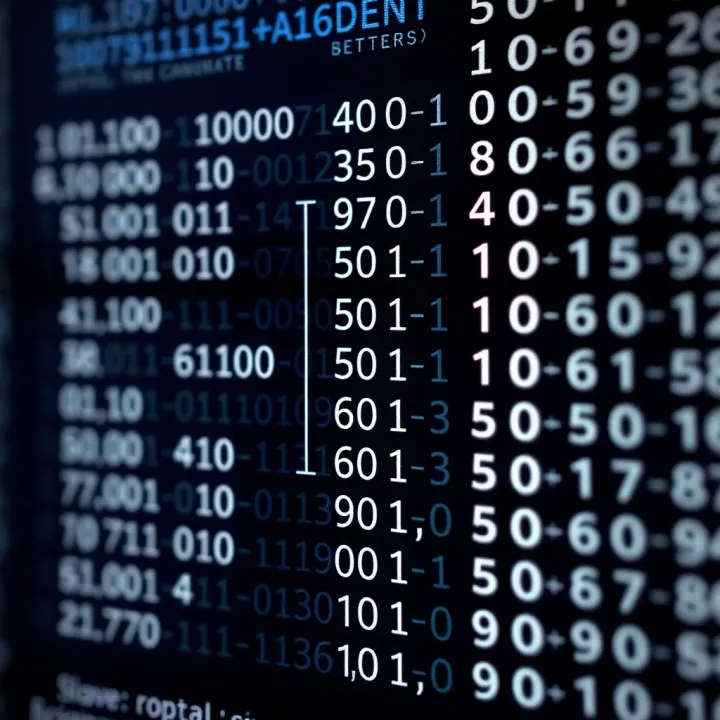
Converting hexadecimal (hex) to binary is a fundamental skill in computing, especially for students, developers, and IT professionals. The step-by-step approach breaks down complex hex numbers into manageable parts, making the process easy and reliable. This method ensures accuracy when handling anything from memory addresses in programming to analysing network protocols.
Each hex digit directly corresponds to a 4-bit binary number. This fixed relationship is practical because it simplifies conversion: instead of complex calculations, you just replace each hex digit by its 4-bit binary equivalent. For example, the hex digit 'A' equals binary '1010', and '5' translates to '0101'. This consistency eliminates guesswork and speeds up the process.
Using single hex digits as building blocks helps you understand the full conversion comfortably. Once you memorise or refer to the standard hex-to-binary mappings, converting any larger number becomes a matter of stringing these bits together.
Take the hex digit 'F'—it equals '1111' in binary. Similarly, '3' converts to '0011'. When converting a hex number like '1C', split it into '1' and 'C', which are '0001' and '1100', respectively, in binary. Joining these results in '00011100'. This straightforward technique avoids confusion and highlights how binary numbers represent each hex digit precisely.
When you deal with multi-digit hex numbers, start by splitting them into individual digits. Each digit is converted separately to its 4-bit binary equivalent. This step maintains clarity and prevents mistakes, especially with longer sequences common in real-world computing tasks like memory addressing or data representation.
Once separated, combine these 4-bit groups into one long binary string. For example, converting '2F9' involves breaking it into '2', 'F', and '9', converting them to '0010', '1111', and '1001', then linking to form '001011111001'. This direct method makes the translation transparent and easy to verify.
Hex-to-binary tables list all hex digits alongside their binary forms. To use these, locate the hex digit on the table and read off its 4-bit equivalent. These tables act as quick references, especially useful for learners or when working without electronic tools. They reduce errors by providing a reliable source for each conversion.
Tables simplify the process by eliminating the need to remember all binary equivalents. Instead, you can check digits quickly and with confidence. This saves time and ensures accuracy, important when working on coding, networking, or troubleshooting where precision is key.
Keeping a conversion table handy can be a lifesaver, particularly during exams or debugging sessions where mistakes in number systems can lead to bigger problems.
Using these step-by-step techniques makes hex to binary conversion straightforward and less intimidating. Whether for academic study or professional use, a clear grasp of these basics provides a strong foundation for more advanced computer science concepts.
Hexadecimal to binary conversion plays a key role in several computing areas, making complex data easier to handle, display, and interpret. Understanding these applications helps students and professionals in Pakistan grasp why this conversion is fundamental in IT and computer science.
Computers use binary internally to represent everything, including memory addresses. However, binary strings for large addresses can be long and hard to read. Hexadecimal offers a shorthand way to write these addresses because every hex digit corresponds neatly to four binary digits. For example, the memory address 0x1A3F is easier to handle than its 16-bit binary equivalent 0001101000111111.
For programmers and engineers, this means working with hex values simplifies debugging and memory management tasks. Low-level programming languages, like assembly, often display memory locations in hex to conveniently track where instructions and data are stored. This clearer view reduces errors and speeds troubleshooting, especially when dealing with microcontrollers or embedded systems common in Pakistan’s tech sector.
Internet Protocol (IP) addresses often rely on hex-to-binary understanding. IPv6 addresses, for example, use hex notation like 2001:0db8:85a3::8a2e:0370:7334. Each hex digit here translates directly into binary, which routers and network devices use for routing decisions.
Besides IP addresses, network protocols handle data in binary. Converting hex to binary helps diagnose data transmission issues by allowing engineers to interpret packet contents more precisely. Pakistani network administrators analysing traffic logs or configuring firewalls benefit from this conversion to quickly decode and understand communication patterns.
When software doesn’t behave as expected, developers often look at binary or hex representations to trace errors. Binary is the fundamental language of computers, so inspecting data at the binary level can reveal subtle mistakes, like bit flips or incorrect flag settings.
Hex dumps are another debug tool where memory contents are displayed in hex alongside their ASCII characters. This dual presentation makes it easier to spot corrupted data or unusual patterns. In Pakistan’s growing software development sector, such debugging methods are essential for building reliable applications and systems.
Working fluently between hexadecimal and binary formats is a practical skill that bridges human-readable information with the computer’s core operations.
Understanding and applying hex to binary conversion is therefore vital across memory management, networking, and debugging—areas critical for effective computing and software development in Pakistan.
Converting hexadecimal (hex) numbers to binary can be a bit tricky, especially when working with large values or tight deadlines. That is why having the right tools and resources makes a real difference. These aids help not only to speed up the process but also reduce mistakes, which is crucial for students and IT professionals handling complex calculations or programming tasks.
Several reliable websites offer free hex-to-binary conversion services, which are very handy for quick checks. Pakistani users often rely on international platforms like RapidTables or Browserling, but some local educational portals have also started providing such utilities. These platforms allow you to input a hex number and instantly get its binary equivalent, saving time and effort compared to manual conversion.
However, while online converters are convenient, you should be careful with sensitive data input. Avoid entering confidential information into unknown websites, especially if the number relates to security keys or private codes. Always use trusted sites and double-check results with another tool or manual methods to confirm accuracy.
If you work in programming or software development, built-in functions within languages like Python (bin() coupled with int()), JavaScript (parseInt() and .toString(2)), or Java (Integer.toBinaryString()) make hex-to-binary conversion straightforward. These functions handle the conversion efficiently and are excellent for smaller chunks of data.
For tasks involving bulk conversions, such as analysing large datasets or logs, custom scripts come in handy. For example, a simple Python script using loops can convert thousands of hex values into binary automatically. This approach is very practical for IT professionals in Pakistan who manage network traffic data or perform debugging on applications with large memory dumps.
Local textbooks used in universities and colleges usually cover number systems with examples adapted to the Pakistan education system. These books provide foundational knowledge and step-by-step practice problems for converting hex to binary manually, which builds a strong conceptual base.
Besides textbooks, digital resources like tutorial videos on YouTube or online courses hosted by Pakistani educational platforms offer interactive ways to learn. Practising problems regularly strengthens your understanding and reduces common errors, especially before exams or real-world projects involving computer arithmetic.
Mastering tools and resources for hex-to-binary conversion not only saves time but also enhances accuracy, an essential skill for students and IT professionals dealing with computer systems in Pakistan.
Understanding common pitfalls in hexadecimal to binary conversion saves time and prevents errors, especially in technical fields like programming and networking. Paying attention to these mistakes ensures accuracy and smooths workflows for students, freelancers, and professionals in Pakistan.
A frequent error arises when the letters used in hexadecimal (A-F) are mistaken for decimal digits. Hexadecimal digits go beyond numbers 0-9 and include letters A to F representing values ten to fifteen respectively. Misinterpreting, say, 'B' as just a letter or a different number can lead to incorrect binary conversion.
Programmers often slip up by treating hex letters as decimal digits during manual conversions. For example, considering 'D' as 13 in decimal is correct; yet, mismapping it as a digit beyond its value causes wrong conversions, especially if you forget it requires translating into the right 4-bit binary group (1101).
Each hex digit corresponds exactly to four binary bits. Many overlook this and convert hex digits into binary without maintaining all four bits. This leads to wrong binary sequences that don’t correctly represent the original number.
For example, converting hex '1' should yield '0001', not just '1'. Failure to pad the binary number to its full 4-bit form disrupts the correct length, which affects computations relying on fixed bit lengths, such as memory addressing or hardware programming.
Mismatched binary lengths confuse software tools or microcontrollers expecting precise binary formats. This may cause bugs that are hard to trace, making attention to binary padding essential.
Hexadecimal is base-16, octal is base-8, and decimal is base-10. Confusion between these systems happens often, especially since octal and hex both use letters or digits but map differently. Misreading a number’s base leads to inaccurate conversion and data misrepresentation.
A practical example is mixing octal ‘17’ (which means decimal 15) with hex ‘17’ (decimal 23). This error can disrupt calculations, programming logic, or network addressing.
To avoid mix-ups:
Clearly label numbers with prefixes (0x for hex, 0o for octal) when coding.
Always verify the base before converting.
Use conversion tables or tools to double-check.
Careful distinction between number bases prevents costly errors in coding and data handling, particularly in software development and network configuration.
By recognising these common mistakes and following practical tips, you can confidently perform hexadecimal to binary conversion accurately every time.
Learn how to convert binary to hexadecimal with clear steps and tips 🧑💻. Explore practical uses in computing and electronics for programmers and IT pros.

Learn how binary conversion works 🔢 Explore converting between binary & decimal, tools, tips, and real-life uses in tech and computing 💻
Master binary number subtraction 🔢 with clear explanations on borrowing and methods. Compare it with decimal subtraction for digital computing 📊 insights.

Explore binary multiplication concepts and methods 🧮, learn practical steps and challenges, and see how it powers computing systems ⚙️ in Pakistan and beyond.
Based on 8 reviews