

Binary Search in C++: Step-by-Step Guide
Master binary search in C++ with clear explanations, varied examples, and tips to avoid mistakes. Boost your coding skills with this practical guide! 📘🔍✨
Edited By
Megan Turner
Understanding how to convert binary numbers to hexadecimal forms an essential skill, especially in digital electronics and computer science. While binary uses just two digits, 0 and 1, hexadecimal expands this system into 16 symbols, including digits 0-9 and letters A-F. This makes hexadecimal a more compact way to represent binary data, which is handy in programming, networking, and data analysis.
In Pakistan’s tech scene—from software development hubs in Islamabad to electronics workshops in Lahore—proficiency in these conversions can ease coding tasks and debugging. For students preparing for exams or freelancers tackling programming projects, knowing this conversion reduces errors and accelerates problem-solving.

The binary system records every single piece of digital information, but long strings of 0s and 1s can quickly become unwieldy. Hexadecimal simplifies this by grouping four binary digits into a single hex digit. This not only streamlines representation but also helps in reading and interpreting machine-level data.
Remember: Each hexadecimal digit corresponds exactly to a group of four binary bits, making conversions straightforward once this connection is clear.
In this article, you will get step-by-step methods to switch from binary to hexadecimal accurately. We will highlight common pitfalls, such as miscounting binary groups or mixing up letter cases, and provide useful tips tailored for learners and professionals. By the end, you’ll see how these number systems work side by side and why converting between them is routine yet vital.
Whether you're coding in C++, working on microcontrollers, or analysing network packets, understanding this conversion will boost confidence and precision in your technical work. Let's start by revisiting what binary and hexadecimal systems look like and how they operate.
Understanding the binary and hexadecimal number systems is vital for anyone diving into computing, programming, or digital electronics. Both systems form the backbone of how computers process and represent data. In Pakistan’s growing tech ecosystem, where software development and hardware design are increasingly significant, grasping these systems helps you troubleshoot, program efficiently, and understand machine-level operations.
The binary system uses just two digits: 0 and 1. It's the language of computers because digital devices operate on two states – on and off, which easily map to binary digits or bits. Every file, application, or instruction on your mobile, computer, or any digital device ultimately boils down to sequences of these zeros and ones. For instance, a simple instruction in a microcontroller might be represented as 10110010 in binary.
Just as decimal numbers rely on place values based on powers of ten, binary digits (bits) have place values in powers of two. From right to left, each bit represents 2⁰, 2¹, 2², and so on. For example, the binary 1011 represents:
1 × 2³ (8)
0 × 2² (0)
1 × 2¹ (2)
1 × 2⁰ (1)
Adding these gives 8 + 0 + 2 + 1 = 11 in decimal. This place-value system is fundamental when converting between binary and other bases.
The hexadecimal (or hex) system uses sixteen symbols: 0–9 for values zero to nine, and A–F for values ten to fifteen. This system condenses binary data into a shorter, more readable format. For example, instead of writing eight binary digits (bits) as 1101 1010, you write two hex digits: DA. Hex makes it easier to read long binary sequences, which is especially handy in debugging or analysing memory dumps in programming.
Each hex digit corresponds exactly to four binary digits (bits), called a nibble. This makes conversion straightforward since four binary bits map directly to one hex digit. For example, the binary group 1111 corresponds to hex F, and 1010 corresponds to A. Hex sits between binary and decimal in terms of readability: it's more compact than binary but aligns neatly with it, unlike decimal which isn’t as friendly for computer systems. Programmers often use hexadecimal when dealing with memory addresses or colour codes, simplifying complex binary patterns.
Knowing these basics empowers you to convert between binary and hex quickly, an essential skill for programmers, hardware engineers, and tech students tackling coding challenges or system debugging.
In the next section, we will explore the step-by-step process to convert binary numbers into their hexadecimal counterparts with hands-on examples.
Converting binary numbers to hexadecimal can seem tricky at first, but a clear, step-by-step method makes it straightforward. Breaking down the process helps avoid mistakes and speeds up working with large values. It also makes it practical for students and professionals dealing with digital electronics and programming in Pakistan.
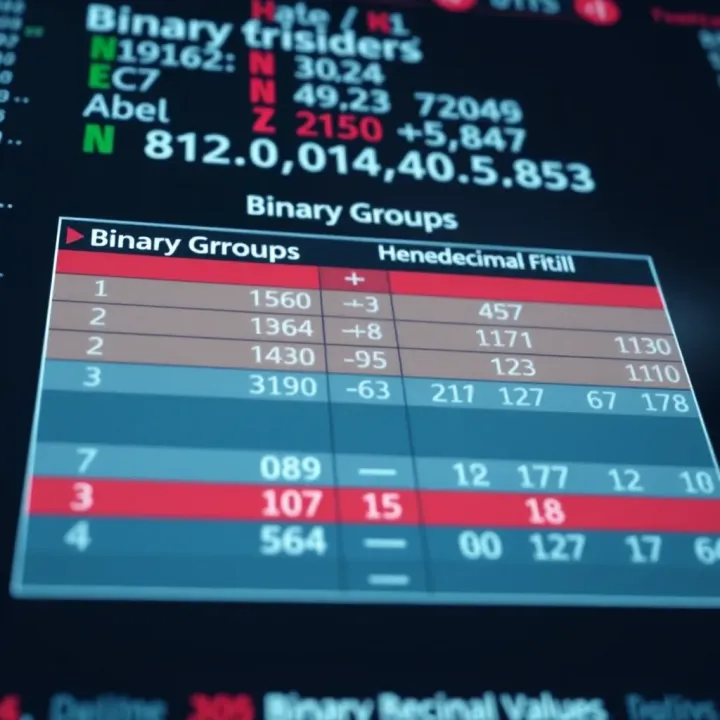
Grouping binary digits in sets of four, called nibbles, is the foundation for easy conversion to hexadecimal. This is because each nibble corresponds exactly to a single hexadecimal digit. By grouping the binary number into nibbles from right to left, you simplify the conversion without calculations. For instance, the binary number 11010111 can be split into two nibbles: 1101 and 0111. Each group maps directly to its hex equivalent, making the process practical for both manual and digital methods.
Often, binary numbers won’t have a length divisible by four. In such cases, padding zeros to the left of the number makes its length a multiple of four without changing its value. For example, the binary number 10101 (five bits) becomes 00010101 by adding three zeros in front. This helps in grouping properly and ensures smooth conversion to hexadecimal. This approach is crucial when dealing with standard bit sizes in computing, like 8, 16, or 32 bits.
A hex conversion chart lists all 16 possible four-bit binary combinations alongside their hexadecimal symbols (0-9 and A-F). Using this chart, you can quickly look up the nibble’s hex equivalent instead of converting each nibble’s decimal value first. This method reduces errors and speeds up the process. For example, the binary nibble 1010 corresponds to hex ‘A’, which you can easily spot on the chart.
Consider the binary number 11110010. Split into nibbles: 1111 and 0010. Using the chart, 1111 equals hex ‘F’ and 0010 equals hex ‘2’. Thus, the binary 11110010 converts to hex F2. Such examples demonstrate the ease of mapping nibbles to hex digits, reinforcing why this step is vital.
After converting each nibble to its hex digit, joining these digits in order gives the final hexadecimal value. Just string them from left to right, keeping the original binary order intact. For example, the earlier conversion yielded nibbles ‘F’ and ‘2’, so combined as ‘F2’. This straightforward step completes the conversion process clearly and efficiently.
It’s wise to verify your conversion by either reversing the process or using a calculator application, especially for larger numbers. Converting the hex number back to binary or decimal confirms accuracy. For learners and professionals handling critical data—like memory addresses or colour codes—this step catches simple mistakes.
Grouping binary digits into nibbles and mapping each to hexadecimal digits keeps the conversion process clean, precise, and easy to follow, which is especially useful when working in programming and electronics environments common in Pakistan.
By mastering this step-by-step approach, you gain a reliable method that balances theory with practical skills useful in your studies or professional work.
Practical examples and exercises are essential for mastering the conversion between binary and hexadecimal. These activities help you move beyond theory and develop a true understanding that sticks, especially when dealing with real-world tasks like programming, networking, or digital electronics. Without actual practice, it’s easy to forget the steps or make simple errors under pressure.
Starting with simple binary numbers lets you grasp the fundamental process without feeling overwhelmed. For example, converting the binary 1011 to hexadecimal is straightforward. First, group the binary into a nibble: 1011. Then, use the conversion chart to find its hex equivalent, which is B. This simple task builds confidence and forms the foundation for handling more complex values.
Larger binary values require you to apply the grouping and conversion method repeatedly. For instance, take the binary number 110101011001. First, split it into groups of four from right to left: 1 1010 1011 1001. Since the leftmost group has only one bit, pad it with zeros to make 0001. Now convert each nibble: 0001 is 1, 1010 is A, 1011 is B, and 1001 is 9. The final hexadecimal number is 1AB9.
Working with bigger numbers like this is common in programming and networking, where addresses and data are often large binary sequences.
Miscalculating groups of four: One frequent error is not correctly grouping binary digits into fours, especially when the total number isn’t divisible by four. Missing or adding extra bits can lead to wrong hex values. For example, if you don’t pad the leftmost group correctly in 1101 to 0001 1010, you might incorrectly convert it to DA instead of 1A. Always remember to add leading zeros to ensure each group has exactly four bits.
Confusing hex symbols with decimal numbers: Hexadecimal digits include numbers 0–9 and letters A–F, representing values 10 to 15. Some people mistakenly treat these letters as letters instead of numerical values, which causes errors during conversion or further calculations. For example, E in hex stands for 14 in decimal, not the letter 'E.' Understanding this avoids confusion, especially when converting back and forth or when reading hex addresses in programming.
Practice regularly with different binary numbers, checking work carefully, helps avoid these slip-ups and builds rapid, accurate conversion skills essential for students and professionals alike.
This hands-on approach makes concept retention easier and prepares you better for practical use in digital technology and software applications common in Pakistan’s educational and professional settings.
Binary and hexadecimal systems are the backbone of most digital technology, making their conversion a practical skill beyond academic exercises. This conversion simplifies working with digital data, coding, and system design. Let's see how it applies in real tech scenarios.
Digital electronics rely on binary code, but binary strings can get long and error-prone when read or written directly. Hexadecimal, or hex, condenses every four binary digits (bits) into a single hex digit, reducing length and improving readability. For example, a 16-bit binary number like 1101001110101111 converts to D3AF in hex, which programmers find easier to handle.
In programming, especially low-level languages like Assembly or when dealing with memory addresses in C or Python, hex notation is common. This not helps readability but also aligns with hardware registers, where bits represent flags or control signals. Tools like debuggers show memory and register contents in hex, allowing programmers to quickly interpret system states without counting long binary sequences.
Embedded systems used in Pakistan’s manufacturing and automation sectors typically use hex notation during firmware development and debugging. This makes the binary-to-hex conversion not just academic but necessary for troubleshooting devices like microcontrollers.
Networking uses hex extensively, particularly in IPv6 addressing. Each section of an IPv6 address represents 16 bits, displayed compactly in hex for easier memorisation and configuration. For instance, the address 2001:0db8:85a3:0000:0000:8a2e:0370:7334 looks intimidating in binary but is manageable in hex.
In memory management, computers assign addresses to data in binary, but hex helps human-readable representation. Both software developers and IT professionals involved with system administration or forensic analysis rely on hex to track memory addresses accurately.
This is vital in Pakistan's growing IT sector, where understanding network configurations and managing hardware memory efficiently impacts performance and security.
The ability to convert between binary and hexadecimal speeds up debugging, data analysis, and network setup, making it an essential skill for IT professionals and engineers.
By internalising this conversion process, you can navigate the technical details of computing and networking with confidence—essential skills for today's tech-driven environment across Pakistan.
Converting binary numbers to hexadecimal can be straightforward with the right tools and resources. These aids not only speed up the process but also help minimise human errors, especially when dealing with large binary strings. This section focuses on practical tools and educational materials that make conversion easier for students, professionals, and freelancers in Pakistan.
There are several reliable online calculators available that instantly convert binary to hexadecimal. Tools like "RapidTables" or "CalculatorSoup" provide clean interfaces where you can input any binary number and get its hexadecimal equivalent immediately. These are particularly useful during exams or quick tasks when manual conversion could be time-consuming or prone to mistakes.
For programmers, popular development environments such as Visual Studio Code, PyCharm, or even command-line tools offer built-in features or extensions for base conversions. For example, in Python’s interactive shell, using the function hex(int('101010', 2)) quickly returns '0x2a'. This approach is handy for software developers working on embedded systems or digital electronics projects.
To get comfortable with binary to hex conversion, using textbooks tailored for Pakistani learners like the HEC recommended computer science books or online tutorials from platforms like Sabaq.pk helps a lot. These resources often explain concepts with examples suited to the local curriculum and sometimes include Urdu explanations, which makes them easier to grasp.
Engaging with interactive exercises and quizzes solidifies understanding. Websites offering timed quizzes or apps that challenge you with random binary numbers let you practice conversion skills regularly. This is particularly beneficial for students preparing for exams like matric or inter board, where hands-on practice increases both speed and accuracy.
Consistent practice through reliable tools and tailored learning materials can transform a complex topic like binary to hexadecimal conversion into an achievable skill.
Using these tools and resources will boost your confidence and proficiency, whether you are a student, programmer, or analyst working with digital data daily.
Master binary search in C++ with clear explanations, varied examples, and tips to avoid mistakes. Boost your coding skills with this practical guide! 📘🔍✨

Explore how binary options trading works in Pakistan 🇵🇰, including key risks, legal points, and smart strategies to help you trade confidently and stay safe 💼📉.

📊 Learn binary numbers made simple! Discover their decimal equivalents, everyday use in computing, and easy conversion tips in this friendly guide.
Learn how to convert binary to hexadecimal with clear steps and tips 🧑💻. Explore practical uses in computing and electronics for programmers and IT pros.
Based on 15 reviews