
How to Convert Binary Fractions to Decimal Numbers
Learn how to convert binary fractions into decimal values with clear steps, examples, and tips for accuracy in digital systems. 🧮💡
Edited By
James Whitaker
Converting decimal fractions to binary is a fundamental skill for understanding how computers handle numbers. Unlike simple whole numbers, fractions pose a bit more challenge because of their infinite or repeating nature in some cases.
In the decimal system, we use base-10 which means each digit represents a power of 10. Binary, however, uses base-2, so each digit corresponds to a power of 2. When converting fractions, the part after the decimal point represents negative powers of 10 (such as 0.1 meaning 1/10), but for binary fractions, it’s negative powers of 2 (like 0.1 meaning 1/2).
Important: While whole numbers convert straightforwardly using division or subtraction, fractions require multiplying the fractional part repeatedly by 2, capturing the integer parts at each step.
This method is widely used in computing and digital electronics. For example, when coding on microcontrollers or working with floating-point numbers in programming languages, understanding this conversion helps optimise data storage and processing.
Here’s why it matters in Pakistan: with the growing use of digital payments like JazzCash and Easypaisa and the rise of tech startups, a good grasp of binary arithmetic – including fractions – supports backend software accuracy and performance.
In the sections ahead, you'll learn a step-by-step procedure for converting decimal fractions to binary, common pitfalls like recurring binaries, and practical examples. This knowledge will prove useful whether you are a student working on your matric or inter exams, a freelancer dealing with electronics design, or a trader analysing binary options data.
Let's get into the nuts and bolts of the conversion process next.
Grasping the basics of decimal and binary number systems is vital when converting decimal fractions to binary. Decimal numbers are what we use daily—money amounts, measurements, prices in markets like Karachi or Lahore. Meanwhile, binary numbers form the backbone of all digital devices, including Pakistan’s rising tech industry, from software apps to network communications.
Decimal fractions represent parts of a whole using a base-10 system. For example, Rs 12.75 shows 12 full rupees and 75 paisa, which is three-quarters of a rupee. This system’s familiarity makes calculations straightforward but limits direct use in digital electronics, which depend on binary.
Each digit in a decimal fraction holds a place value based on powers of 10. For instance, in 0.375, the 3 is in the tenths place (3 × 10⁻¹), the 7 in hundredths (7 × 10⁻²), and the 5 in thousandths (5 × 10⁻³). Understanding this helps in accurately breaking down decimal values when converting to binary, ensuring no loss of precision.
Binary is a base-2 number system using just two digits: 0 and 1. Every digital device in Pakistan, from mobile phones to ATM machines, relies on binary processes. Unlike decimal, where each digit’s place value is a power of 10, binary places are powers of 2. For example, the binary number 1011 equals 1×8 + 0×4 + 1×2 + 1×1, which is 11 in decimal.
Fractional parts in binary work similarly but use negative powers of 2. For example, the binary fraction 0.101 means 1×2⁻¹ + 0×2⁻² + 1×2⁻³, adding up to 0.5 + 0 + 0.125 = 0.625 in decimal. This form is crucial in computing for representing non-integer values efficiently. However, some decimal fractions like 0.1 don’t convert to neat binary fractions, leading to challenges like rounding in digital calculations.
Understanding these systems lets you convert values precisely, which matters in software development, financial calculations, and electronic design across Pakistan’s tech and financial sectors.
Understanding the process of converting decimal fractions to binary is vital, especially for students and freelancers working with computing, programming, or electronics in Pakistan. This method offers a straightforward approach to break down the conversion into manageable parts. By separating the integer and fractional portions of a decimal number, the process becomes clearer and more practical for real-world applications.
The repeated division method is a common technique used to convert the integer part of a decimal number into binary. This method involves dividing the integer repeatedly by 2 and noting down the remainders. Since the binary number system is base 2, each remainder represents a binary digit (bit).
For example, to convert the integer 13 into binary, you divide 13 by 2 and write down the remainder: 13 ÷ 2 = 6 remainder 1. You continue dividing the quotient until it reaches zero. Collecting all the remainders in reverse order gives the binary number. This method is reliable and easily done by hand or using a simple calculator.
An example of integer conversion illustrates the process clearly. Suppose you want to convert 25 to binary. Dividing 25 by 2, you get 12 remainder 1; dividing 12 by 2 gives 6 remainder 0; then 6 by 2 gives 3 remainder 0; 3 by 2 gives 1 remainder 1; and finally 1 by 2 gives 0 remainder 1. Reading the remainders backward, 25 in binary is 11001. This conversion technique is fundamental to binary arithmetic and digital logic, which underpin computing systems in Pakistan.
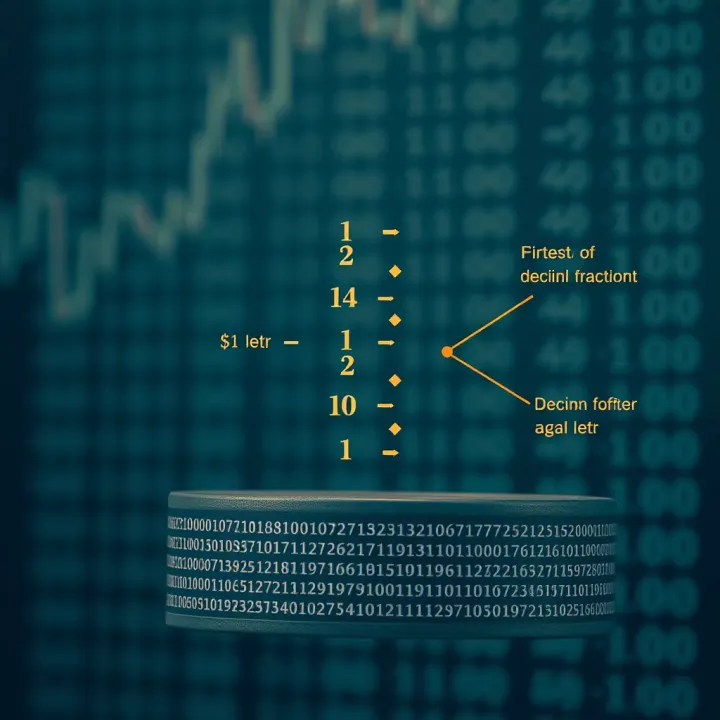
For the fractional portion, the repeated multiplication method comes into play. Here, you multiply the fractional decimal number by 2 repeatedly and extract the integer part at each step as a binary digit. The new fractional remainder continues to be multiplied until you reach zero or the desired precision.
Take 0.625 as an example: multiply 0.625 by 2 to get 1.25. The integer part 1 becomes the first binary digit after the decimal point. Continue with the fractional part 0.25, multiply by 2 to get 0.5; integer part 0 is next. Multiply 0.5 by 2 to get 1.0; integer part 1 completes the process. So, 0.625 in binary is 0.101.
Handling infinite binary fractions is a crucial consideration. Some decimal fractions, like 0.1, convert into an infinite repeating binary form. Since it’s impossible to write this fully, truncating or rounding is necessary depending on how much accuracy you need. For instance, computers typically limit binary fractions to 32 or 64 bits, which introduces slight rounding errors but keeps calculations manageable.
Understanding how to manage infinite binary fractions helps programmers and digital designers in Pakistan avoid common precision issues in software development and electronic circuit design.
This step-by-step approach to converting both integer and fractional parts supports accurate binary representation essential for digital applications and learning. Practising these methods equips students and freelancers with the skills to handle data at the foundational level of computing systems.
Converting decimal fractions to binary is not always straightforward. There are common issues that come up, especially around precision and representation. Knowing these challenges helps you avoid mistakes and make better decisions in practical applications, such as software programming or digital electronics.
Rounding errors happen because some decimal fractions don't have exact binary equivalents. For instance, decimal 0.1 converts to a repeating binary fraction, which cannot be captured perfectly with a finite number of bits. This causes small rounding differences that become noticeable when calculations pile up or when high accuracy is required.
This matters in computing and finance. Consider a trading algorithm that calculates profits to several decimal places. Tiny rounding errors in binary representation might accumulate, affecting the final figures and potentially leading to incorrect decisions.
Truncation effects occur when the binary fraction is cut off after a certain number of bits. This leads to loss of precision because the remaining bits, which might influence the value, are ignored. For example, if you truncate the binary conversion of 0.3 at 10 bits, the resulting binary number deviates slightly from the actual value.
In digital systems, truncation can affect signal processing or data transmission when exact values are crucial. Pakistani engineers working on embedded systems or DSP (digital signal processing) projects must balance between bit length and hardware limits to minimise such errors.
Using a fixed number of bits to represent binary fractions ensures consistency. For example, allocating 16 bits for the fractional part means every number uses the same precision. This approach is common in fixed-point arithmetic, which can be easier to implement on microcontrollers compared to floating-point.
Fixed bit lengths simplify storage and computing but may force rounding or truncation. Pakistani freelancers or fintech developers working with limited hardware often prefer this method for predictable performance.
Approximations in practice accept that some decimal fractions cannot convert perfectly. Instead, you choose the nearest binary value within an acceptable error margin. For example, software for currency conversion may limit fractions to a few decimal places, trading tiny precision loss for faster computation.
This practical approach is usual in banking software or billing systems in Pakistan, where rounding to the nearest paisa or hundredth of a rupee is often enough. The key is to understand acceptable error thresholds for your specific application.
When converting decimal fractions to binary, recognising these issues and adopting suitable strategies prevents errors that could disrupt calculations, financial records, or technical designs.
In summary, dealing with precision limits through fixed bit lengths and sensible approximations makes the binary-to-decimal conversion reliable enough for most real-world scenarios.
Practical examples and exercises play a vital role in mastering the conversion of decimal fractions to binary. They help learners to apply theoretical concepts, identify common pitfalls, and build confidence in performing conversions manually and using digital tools. In trading, programming, or financial analysis, precise knowledge of binary representation—especially of fractions—can affect algorithmic calculations and data processing.
Starting with simple decimal fractions like 0.25 or 0.5 is helpful because their binary equivalents are straightforward and terminate cleanly. For instance, 0.25 in decimal is 0.01 in binary. Practicing with these fractions builds foundational skills by applying the repeated multiplication method to fractions with clear outcomes.
These basic examples serve not only as a training ground but also as practical references for everyday calculations. When you deal with percentages, probabilities, or financial ratios in trading or software development, knowing exact binary forms avoids rounding issues that might skew results.
After converting fractions to binary, comparing them back to their decimal values confirms the accuracy of conversion. For example, translating binary 0.1 (which equals 0.5 decimal) back to decimal ensures there’s no confusion or loss of precision.
This step is particularly relevant when verifying data in financial models or computer programmes where even a small discrepancy in fractional values can impact trading decisions or software outputs. Briefly put, these comparisons highlight how decimal and binary systems interrelate in practical scenarios.
Some decimal fractions convert into binary patterns that repeat indefinitely, like 0.1 decimal which becomes an infinite recurring binary sequence. Understanding these recurring patterns is important, especially while coding or designing digital circuits, because computers work with finite bits and trigging errors from truncation is possible.
For instance, when converting 0.1, the binary fraction keeps repeating '000110011' This kind of insight helps you decide how many bits to keep, balancing precision against processing overhead.
To ensure conversions are accurate, use several checks: convert back to decimal, calculate the difference (error margin), and consider the number of bits used in the binary representation. Using a fixed number of bits to standardise results is common practice, especially in hardware design and financial algorithms.
Keep track of rounding errors by testing conversions with known decimal fractions and comparing results. This approach helps prevent costly mistakes in sectors where numerical precision is non-negotiable, such as stock market algorithms or digital signal processing.
Well-structured exercises combining simple and complex conversions reinforce understanding. By practising regularly, you can quickly spot when a binary fraction is a close approximation rather than an exact match, saving time on debugging and recalculations.
Binary fractions form the backbone of many computing processes, especially where precision and speed are necessary. Since computers operate using binary logic, understanding how decimal fractions convert to binary is vital for engineers and programmers working on software, hardware, and digital communication systems.
Computers use floating-point representation to handle numbers with fractional parts, allowing for a wide range of values while balancing memory use. This method splits a number into three parts: the sign, exponent, and mantissa (or significand). The binary fraction specifically defines the mantissa, which holds the precise value of the fraction. For example, when dealing with financial calculations or scientific data in Pakistan’s growing tech sector, accurate floating-point calculations help avoid errors caused by decimal rounding.
Floating-point standards like IEEE 754 are widely adopted in processors, ensuring compatibility and reliability. Without correct binary fraction conversion, even simple arithmetic tasks could lead to inaccuracies that affect everything from stock market models to mobile app calculations.
Processor instructions rely heavily on binary fractions for tasks such as arithmetic operations, comparisons, and data transfer. When a computer processes sensor input, for instance from IoT devices used in Pakistani agriculture, it translates analog measurements into binary fractions for digital computation. The precision of these binary fractions can influence the quality and timeliness of automated decisions, such as irrigation control based on soil moisture levels.
Moreover, binary fractions underpin algorithms inside CPUs and GPUs, where efficient number representation affects performance. Even small inefficiencies can lead to greater energy consumption, which is a concern in Pakistan owing to regular loadshedding and energy resource constraints.
Software developers frequently confront binary fractions, especially when writing programs involving mathematics, graphics, or data analysis. Apps for e-commerce platforms like Daraz, or ride-hailing services like Careem, rely on precise calculations to manage balances, distances, and ratings.
Programming languages such as Python, C++, and Java handle floating-point binary fractions internally, but knowing how decimal fractions convert helps developers debug errors in financial apps or reports, ensuring transactions comply with local accounting standards regulated by SECP and FBR.
In digital electronics, binary fractions allow for modulation and signal processing techniques fundamental to telecommunications. Pakistan’s telecom industry, led by companies like Jazz and Zong, embeds binary fraction conversions in codecs and data compression algorithms that enable clearer calls and faster internet over cellular networks.
Digital communication devices convert analog voice or data signals into binary fractions before transmission. Efficient handling improves bandwidth use and reduces errors caused by interference. This is vital for remote areas where signal strength may be weak but connectivity remains essential for social and economic activities.
Understanding binary fractions extends beyond pure theory; it directly affects practical technologies shaping Pakistan’s digital future, from mobile apps to communication infrastructures.
Learn how to convert binary fractions into decimal values with clear steps, examples, and tips for accuracy in digital systems. 🧮💡
Learn how to convert binary numbers to decimal with step-by-step guides and real examples 📊. Understand the basics and tech applications clearly!

Learn how to convert the decimal number thirty-one to binary 📊 with easy steps, examples, and tips to avoid common mistakes in binary conversion.
🔢 Learn how to convert 65 into binary with easy steps, understand its importance in computers, avoid common mistakes, and see where binary is used in everyday tech.
Based on 9 reviews